Game: Hand drawn character
Posted on May 24, 2025
When I set out to make games, my ambition was to make them artistic. However, it is difficult to determine what discerns artistic games from normal games. What are the demands for an artistic game: No shooting? No fighting? Atmospheric? Maybe the meaning of artistic game is different to everyone. With the following project, I think I came one step closer to an answer.
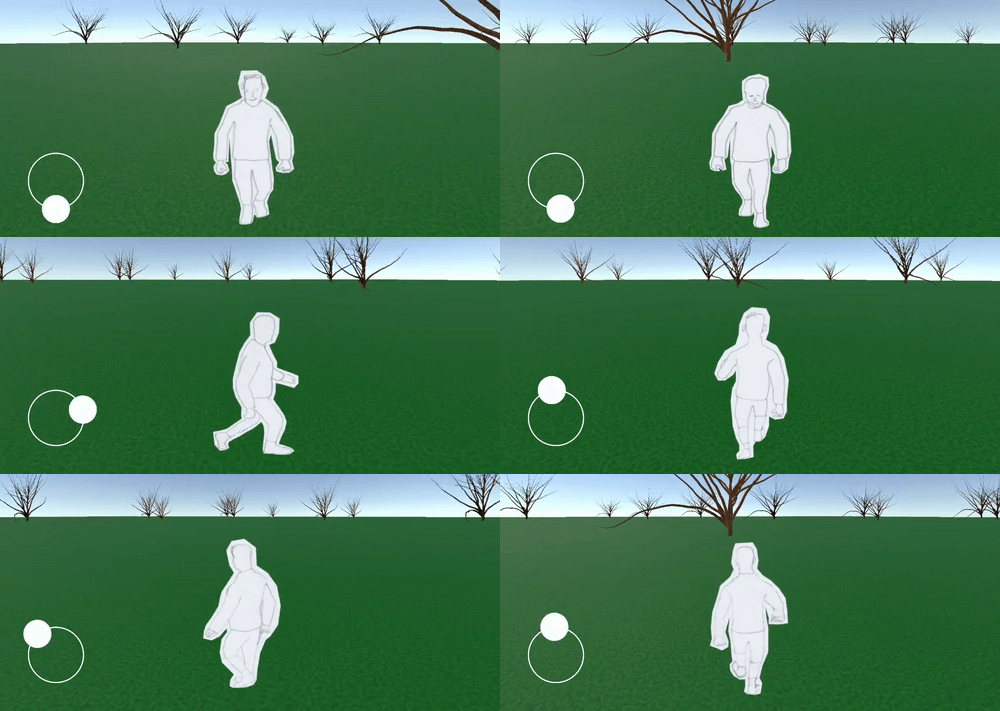
As you can see, these are hand-drawn sprite images for animating the main character of a game. I used the following method, which is perhaps best described as ‘reverse rotoscoping’: I downloaded a 3D character that performed a walking animation, then laid a paper on my screen, and traced the model with a pencil from different angles, and at different stages of the walk cycle. It’s important here to keep the center of the animation at a constant position throughout the cycle.
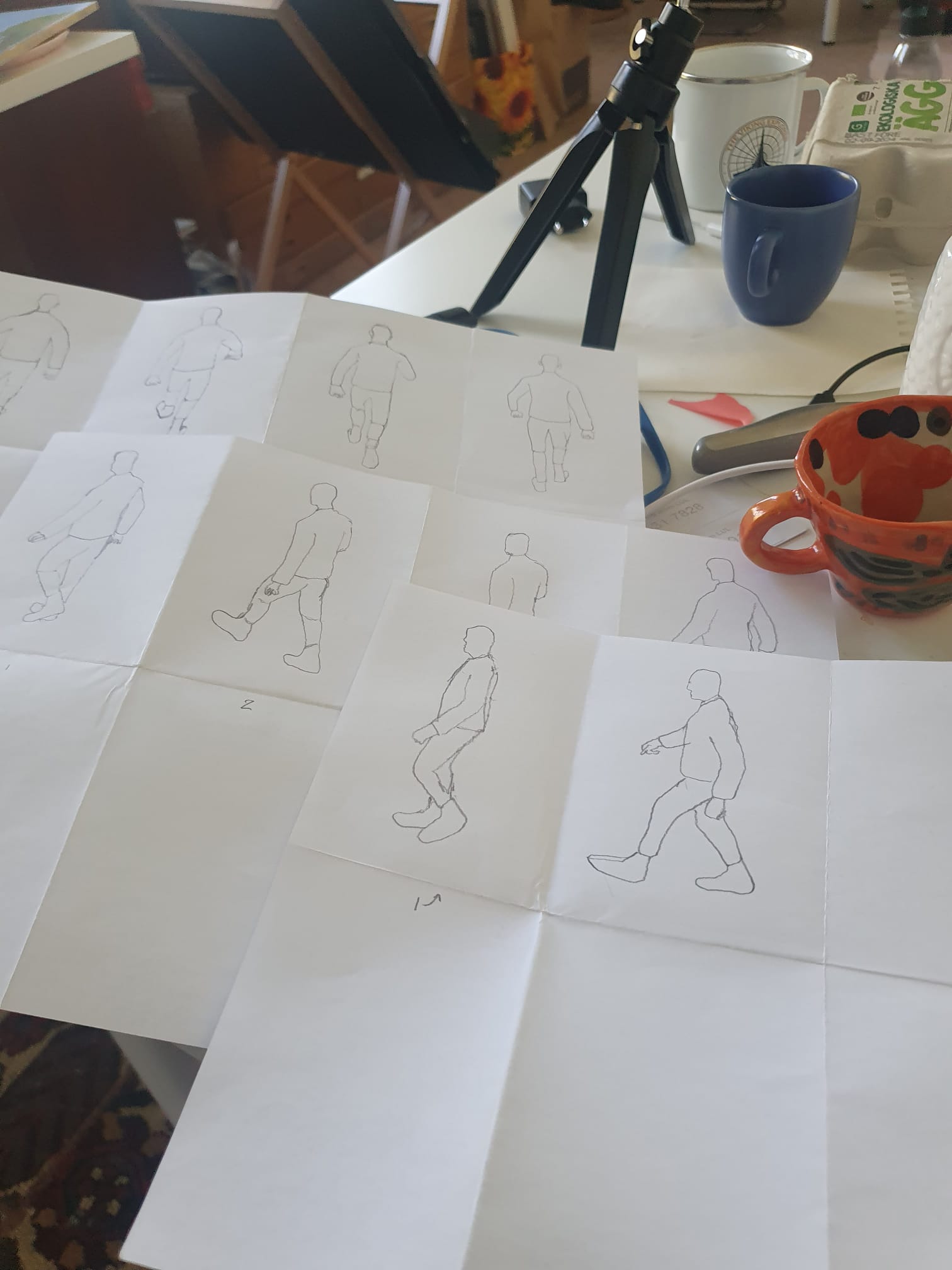
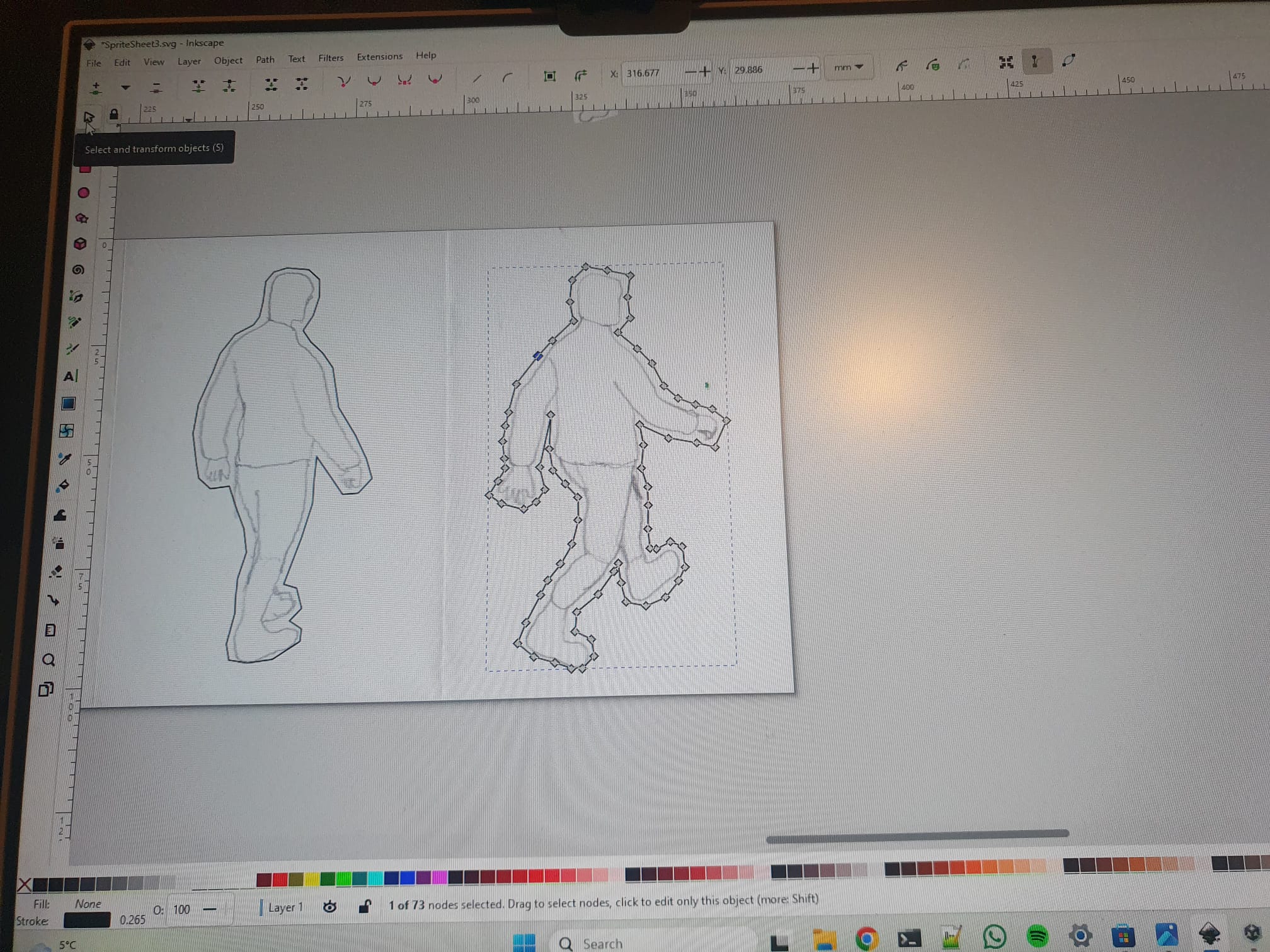
The perspectives were from south, south-east, east etc, totalling eight different perspectives. However, three of these can be generated by mirroring the opposite direction (east-west), reducing the total amount of drawn perspectives to five. Every walk cycle was cut up in five stages, such that adds up to 25 drawings. One can then scan these images, and cut them out (I used Inkscape for that).
I then used Unity to create an Android app with this animation, using the drawing as the main character. A ‘sprite renderer’ is necessary to add to the object that represents the player. I find the ‘animator’ in Unity a little bit confusing for creating animation, so I wrote my own code to swap sprites over time. In short, this comes down to defining a sprite list for every direction:
public List<Sprite> spriteMove = new List<Sprite>();where the list can be loaded with sprites from the Unity UI, you simply drag and drop. Then, in order to cycle through the animations with a certain speed, I learned that it best to use the IEnumerator(), which is a function that runs coroutines. This function allows for breaks with a certain time extend, giving the choppy animation that I was looking for (Update() loop does not allow for breaks).
private void Start()
{
    StartCoroutine(PlayAnim());
}

IEnumerator PlayAnim()
{
    while (true) {
        yield result new WaitForSeconds(0.25);
        spriteIndex++;
        spriteRenderer.sprite = spriteMove[spriteIndex];
    }
}
This serves as a simple example, of course one has to take care that the sprite index resets after a certain amount, and to implement the different perspectives using different sprite lists. I used a gargantuan conditional to assign eight joystick direction to eight animation perspectives. But everyone should find their own ways to do it. There is some more coding involved in camera movement and character movement, and a little modelling of the surroundings, but this is beyond the scope of this blog. The result of this project was fulfilling, and the hand drawnness of the character indeed gives it a somewhat artistic edge.